
How to create a SaaS site

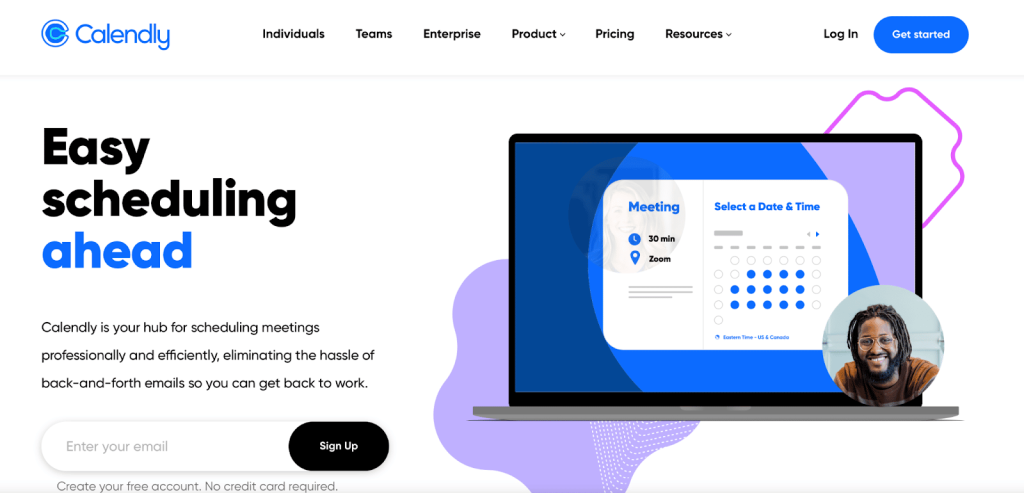
Creating a SaaS (Software as a Service) site is a strategic process that combines technical expertise, user-centric design, and effective business planning. As the demand for cloud-based solutions continues to grow, building a SaaS platform offers immense opportunities for innovation and scalability. This article provides a step-by-step guide to help you navigate the complexities of developing a SaaS site, from defining your target audience and selecting the right technology stack to designing intuitive interfaces and implementing robust security measures. Whether you're a startup or an established business, these insights will empower you to create a successful SaaS platform that meets market needs and drives long-term growth.
How to Create a SaaS Site: A Step-by-Step Guide
Creating a SaaS (Software as a Service) site involves a combination of technical expertise, strategic planning, and user-centric design. Below, we break down the process into actionable steps to help you build a successful SaaS platform.
1. Define Your SaaS Product and Target Audience
Before diving into development, clearly define your SaaS product and identify your target audience. Understand the problem your software solves and how it benefits users. Conduct market research to validate your idea and ensure there is demand for your product. Create a user persona to guide your design and marketing efforts.
2. Choose the Right Technology Stack
Selecting the appropriate technology stack is crucial for building a scalable and efficient SaaS site. Consider factors like programming languages, frameworks, databases, and hosting services. Popular choices include React.js or Angular for the front end, Node.js or Django for the back end, and AWS or Google Cloud for hosting.
3. Design a User-Friendly Interface
A user-friendly interface is essential for retaining customers. Focus on creating an intuitive and visually appealing design. Use tools like Figma or Sketch to prototype your site. Ensure your design is responsive and works seamlessly across devices. Incorporate UX best practices to enhance usability.
4. Develop Core Features and Functionality
Start by developing the core features that address your users' primary needs. For example, if you're building a project management tool, features like task tracking, collaboration tools, and reporting are essential. Use agile development methodologies to iterate and improve your product based on user feedback.
5. Implement Security and Compliance Measures
Security is a top priority for SaaS sites. Implement SSL encryption, two-factor authentication, and regular security audits to protect user data. Ensure your platform complies with relevant regulations like GDPR or HIPAA, depending on your industry. Use secure coding practices to minimize vulnerabilities.
| Step | Key Actions |
|---|---|
| 1. Define Your SaaS Product | Identify the problem, validate the idea, and create user personas. |
| 2. Choose Technology Stack | Select programming languages, frameworks, and hosting services. |
| 3. Design Interface | Create intuitive, responsive, and visually appealing designs. |
| 4. Develop Core Features | Focus on essential functionalities and use agile development. |
| 5. Implement Security | Use encryption, authentication, and comply with regulations. |
How to make a SaaS website?

1. Define Your SaaS Product and Target Audience
Before building a SaaS website, it’s crucial to clearly define your product and identify your target audience. This will guide the design, content, and functionality of your website.
- Identify the problem your SaaS product solves.
- Research your target audience to understand their needs and preferences.
- Define your unique selling proposition (USP) to differentiate your product from competitors.
2. Choose the Right Technology Stack
Selecting the appropriate technology stack is essential for building a scalable and efficient SaaS website.
- Front-end development: Use frameworks like React, Angular, or Vue.js for a responsive and interactive user interface.
- Back-end development: Opt for technologies like Node.js, Django, or Ruby on Rails for robust server-side functionality.
- Database: Choose a reliable database system such as PostgreSQL, MySQL, or MongoDB for data storage.
3. Design a User-Friendly Interface
A user-friendly interface is critical for retaining visitors and converting them into customers.
- Focus on simplicity to ensure easy navigation and a clean layout.
- Use consistent branding with colors, fonts, and logos that align with your SaaS product.
- Optimize for mobile devices to ensure accessibility across all platforms.
4. Implement Essential SaaS Features
Your SaaS website must include key features to provide a seamless user experience.
- User authentication: Enable secure login and registration processes.
- Subscription management: Integrate payment gateways like Stripe or PayPal for recurring billing.
- Analytics dashboard: Provide users with insights into their usage and performance.
5. Optimize for SEO and Performance
To attract organic traffic and ensure a smooth user experience, SEO and performance optimization are vital.
- Conduct keyword research to target relevant search terms.
- Optimize page load speed by compressing images and using a content delivery network (CDN).
- Ensure mobile-friendliness and fast loading times to improve search rankings.
What is the 3 3 2 2 2 rule of SaaS?

What is the 3 3 2 2 2 Rule of SaaS?
The 3 3 2 2 2 rule of SaaS is a framework designed to help SaaS companies achieve sustainable growth by focusing on key metrics and strategies. It emphasizes balancing customer acquisition, retention, and revenue generation. The rule is broken down into specific components that guide businesses in optimizing their operations and ensuring long-term success.
Understanding the First 3: Customer Acquisition
The first 3 in the rule refers to the importance of acquiring new customers. This involves:
- Targeting the right audience: Identifying and focusing on the ideal customer profile to maximize conversion rates.
- Optimizing marketing channels: Leveraging effective channels like paid ads, content marketing, and SEO to attract potential customers.
- Streamlining the sales process: Ensuring a smooth and efficient onboarding experience to convert leads into paying customers.
Exploring the Second 3: Customer Retention
The second 3 highlights the significance of retaining existing customers. Key strategies include:
- Providing exceptional support: Offering timely and helpful customer service to resolve issues and build loyalty.
- Engaging users regularly: Using email campaigns, in-app messages, and personalized content to keep customers engaged.
- Monitoring churn rates: Identifying reasons for customer attrition and implementing solutions to reduce churn.
Breaking Down the First 2: Revenue Growth
The first 2 focuses on driving revenue growth through:
- Upselling and cross-selling: Encouraging customers to upgrade to higher-tier plans or purchase additional features.
- Pricing optimization: Testing and adjusting pricing strategies to maximize revenue without losing customers.
Analyzing the Second 2: Operational Efficiency
The second 2 emphasizes improving operational efficiency by:
- Automating repetitive tasks: Using tools and software to streamline workflows and reduce manual effort.
- Enhancing team productivity: Providing training and resources to ensure employees work effectively and efficiently.
Decoding the Final 2: Strategic Planning
The final 2 involves strategic planning to ensure long-term success:
- Setting clear goals: Defining measurable objectives for growth, revenue, and customer satisfaction.
- Regularly reviewing performance: Analyzing key metrics and adjusting strategies to stay on track.
How much does it cost to create SaaS?

Initial Development Costs
The initial development costs for creating a SaaS product can vary significantly depending on the complexity and features of the software. Here are some key factors to consider:
- Planning and Research: Conducting market research, defining the product scope, and creating a business plan can cost between $5,000 and $20,000.
- Design: UI/UX design, including wireframes and prototypes, can range from $10,000 to $50,000.
- Development: Coding and building the core functionality of the SaaS platform can cost anywhere from $50,000 to $200,000, depending on the complexity.
Ongoing Maintenance and Support
Once the SaaS product is launched, ongoing maintenance and support are crucial for its success. Here are the main expenses:
- Server Costs: Hosting and server maintenance can range from $500 to $5,000 per month, depending on the number of users and data storage needs.
- Bug Fixes and Updates: Regular updates and bug fixes can cost between $1,000 and $10,000 per month.
- Customer Support: Providing customer support, including hiring staff and setting up support systems, can cost between $2,000 and $15,000 per month.
Marketing and Customer Acquisition
Marketing is essential for attracting and retaining customers. Here are the primary costs involved:
- Digital Marketing: SEO, PPC, and social media campaigns can cost between $5,000 and $50,000 per month.
- Content Creation: Creating blogs, videos, and other content can range from $1,000 to $10,000 per month.
- Sales Team: Hiring and maintaining a sales team can cost between $10,000 and $100,000 per month, depending on the size and experience of the team.
Legal and Compliance Costs
Ensuring that your SaaS product complies with legal and regulatory requirements is essential. Here are the main expenses:
- Legal Fees: Drafting terms of service, privacy policies, and other legal documents can cost between $5,000 and $20,000.
- Compliance: Ensuring compliance with data protection regulations like GDPR or HIPAA can cost between $10,000 and $50,000.
- Insurance: Obtaining liability and cybersecurity insurance can range from $1,000 to $10,000 per year.
Scaling and Expansion
As your SaaS product grows, scaling and expansion become necessary. Here are the primary costs involved:
- Infrastructure Scaling: Upgrading servers and infrastructure to handle more users can cost between $10,000 and $100,000.
- New Features: Developing and integrating new features can range from $20,000 to $200,000.
- International Expansion: Expanding into new markets, including localization and compliance, can cost between $50,000 and $500,000.
Can one person build a SaaS?
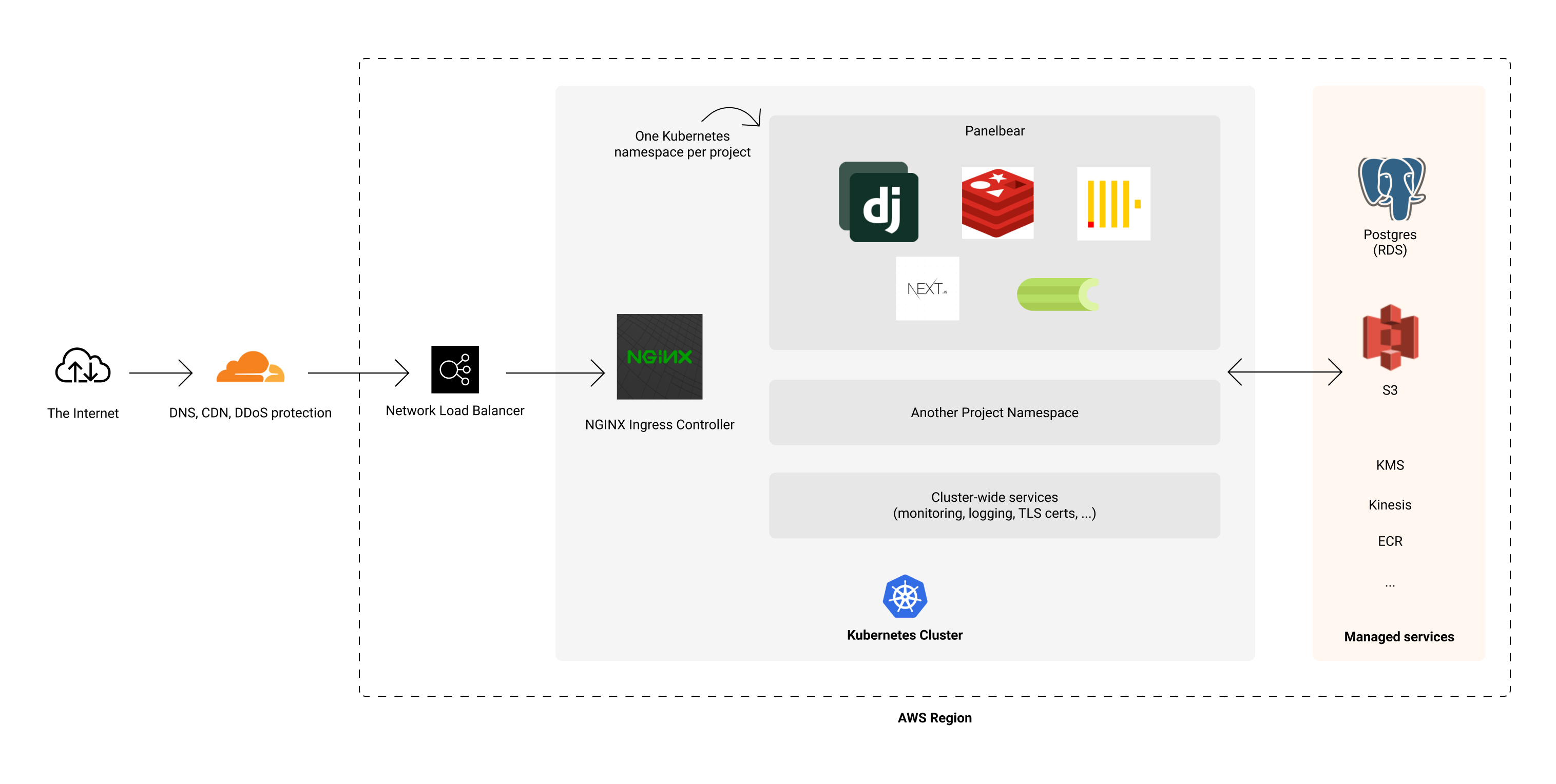
Is It Possible for One Person to Build a SaaS?
Yes, it is entirely possible for one person to build a SaaS (Software as a Service) product. Many successful SaaS companies, such as Buffer and Baremetrics, started as solo projects. The key lies in leveraging modern tools, frameworks, and platforms that simplify development, deployment, and scaling. Here are some reasons why it’s achievable:
- No-code and low-code platforms like Bubble and Adalo enable rapid development without extensive coding knowledge.
- Cloud services such as AWS, Google Cloud, and Heroku handle infrastructure, reducing the need for a dedicated DevOps team.
- Pre-built templates and libraries speed up the development process, allowing a single developer to focus on core features.
What Skills Are Required to Build a SaaS Alone?
Building a SaaS product solo requires a diverse skill set, but it’s manageable with dedication and continuous learning. Here are the essential skills:
- Programming: Proficiency in languages like JavaScript, Python, or Ruby is crucial for building the application.
- UI/UX Design: Understanding design principles ensures the product is user-friendly and visually appealing.
- Marketing: Knowledge of digital marketing, SEO, and social media helps in acquiring and retaining customers.
What Are the Challenges of Building a SaaS Alone?
While building a SaaS alone is possible, it comes with significant challenges that require careful planning and execution:
- Time Management: Balancing development, marketing, and customer support can be overwhelming.
- Technical Debt: Rapid development may lead to poorly written code, which can cause issues later.
- Burnout: Working alone for extended periods can lead to exhaustion and decreased productivity.
What Tools Can Help a Solo SaaS Builder?
Several tools and platforms can streamline the process of building a SaaS product alone:
- Development Tools: Frameworks like React, Django, or Laravel simplify coding and reduce development time.
- Hosting Services: Platforms like AWS, DigitalOcean, and Vercel provide scalable hosting solutions.
- Analytics Tools: Tools like Google Analytics and Mixpanel help track user behavior and improve the product.
How Can a Solo SaaS Builder Acquire Customers?
Acquiring customers as a solo SaaS builder requires a strategic approach to marketing and outreach:
- Content Marketing: Writing blogs, creating tutorials, and sharing valuable content can attract potential users.
- Social Media: Platforms like Twitter, LinkedIn, and Reddit are effective for building a community and promoting the product.
- Referral Programs: Encouraging existing users to refer others can drive organic growth.
Frequently Asked Questions (FAQ)
What are the key steps to create a SaaS site?
Creating a SaaS site involves several critical steps. First, you need to define your product idea and identify the problem it solves. Next, conduct thorough market research to understand your target audience and competitors. After that, design a user-friendly interface and develop the core features of your application. Ensure you choose the right technology stack and hosting platform to support scalability. Finally, test your site thoroughly and launch it with a strong marketing strategy to attract users.
How do I choose the right technology stack for my SaaS site?
Selecting the right technology stack is crucial for the success of your SaaS site. Consider factors like scalability, security, and development speed. Popular front-end frameworks include React or Angular, while back-end options like Node.js, Django, or Ruby on Rails are widely used. For databases, you might opt for PostgreSQL or MongoDB. Additionally, cloud platforms like AWS, Google Cloud, or Azure can provide reliable hosting and infrastructure.
What are the best practices for designing a SaaS site?
Designing a SaaS site requires a focus on usability and aesthetics. Start by creating a wireframe to map out the user journey. Use a responsive design to ensure your site works seamlessly across devices. Prioritize intuitive navigation and minimize clutter to enhance user experience. Incorporate branding elements like logos, colors, and fonts consistently throughout the site. Lastly, conduct user testing to gather feedback and make necessary improvements before launch.
How can I ensure the security of my SaaS site?
Security is a top priority for any SaaS site. Implement HTTPS encryption to protect data in transit. Use multi-factor authentication (MFA) to add an extra layer of security for user accounts. Regularly update your software and dependencies to patch vulnerabilities. Store sensitive data securely using encryption techniques and follow data protection regulations like GDPR or CCPA. Additionally, conduct regular security audits and penetration testing to identify and fix potential weaknesses.
Deja una respuesta
Entradas Relacionadas